


### Blog Post:
standing desk converter adoption is rising fast, driven by cost-conscious professionals and remote workers seeking the health benefits of sit-stand flexibility without replacing their current desk. In 2024, with more people prioritizing wellness at home and in the office, understanding what these devices do—and how to select and use them—can help you set up a more active, ergonomic workspace.
Key Takeaways
- Standing desk converters offer a low-cost, adaptable solution for turning any standard desk into a sit-stand workstation.
- Rapid market growth highlights affordability and the appeal of easy retrofitting for renters, remote workers, and growing small businesses.
- Most buyers can avoid common mistakes by focusing on stability, ergonomic adjustments, and installation requirements before purchase.
- What Is a Standing Desk Converter and Why Use One?
- How to Set Up and Use a Standing Desk Converter: Step-by-Step
- Standing Desk Converter Analysis: Problems, Pitfalls, and Tips
- Conclusion
- FAQ
What Is a Standing Desk Converter and Why Use One?
A standing desk converter is a height-adjustable platform you place on top of your existing desk, instantly converting it from a traditional workstation to a sit-stand setup. These devices have become a fast-growing subcategory, accounting for 34% of the total standing desk market’s revenue segment and reaching $1.45 billion globally in 2024 (Market Intelo, 2024).
The main advantage is retrofit simplicity. Rather than replacing your desk, you can add a converter that lifts monitors, laptops, and even a keyboard tray to standing height. Market research shows that converters fill the need for “low-cost retrofit options”—ideal for renters, companies on a budget, or anyone who doesn’t want to commit to a full new desk (Maker Stations, 2026).

Converters come in various forms, from simple manual risers to models with integrated keyboard trays and electric lifts. They’re gaining particularly fast traction with small businesses and home offices seeking affordability, flexibility, and quick adaptation to hybrid work arrangements (Global Market Insights, 2026).
If you’re looking for other ways to create a flexible or renter-friendly workspace, you might also explore options like a murphy bed with desk or expandable dining table for multifunctional rooms.
How to Set Up and Use a Standing Desk Converter: Step-by-Step
Upgrading your workspace doesn’t need a full furniture overhaul. Here’s a practical, step-by-step walkthrough—from unboxing to achieving a comfortable, ergonomic sit-stand workflow with a converter:
- Unbox carefully. Larger models have spring mechanisms—set everything on the floor and check for loose parts. Keep all included tools and hardware accessible.
- Test fit and clear your desk surface. Remove items from your current desk before placing the converter. Confirm it isn’t overhanging edges.
- Install monitor arms or trays (if included). Follow the manual. Some models need a screwdriver. Attach your keyboard tray and monitor riser if separate.
- Place your monitors and devices. Start with essentials only: monitor, keyboard, mouse. Heavy items (like a desktop CPU) almost never belong on the riser—check the weight specs, which are typically 15–25 kg for most converters.
- Test adjustment range. Raise and lower the converter (manually or electrically). Listen for smoothness and check that cables do not tug or snag—which is common.
- Dial in your ergonomics. Adjust so that your screen is at brow level and your elbows are at a 90-degree angle when typing, both standing and sitting. This avoids strain and supports good posture.
- Route your cables. Use cable clips, zip ties, or a simple cable sleeve to keep everything tidy and prevent accidental snags during movement. Consider under-desk trays if you have a lot of peripherals.
- Develop a workflow routine. Change positions every 30–60 minutes. Alternate between sitting and standing. Use visual or smartphone reminders—or add a desk converter with Bluetooth/app integration for posture alerts on premium models (Maker Stations, 2026).
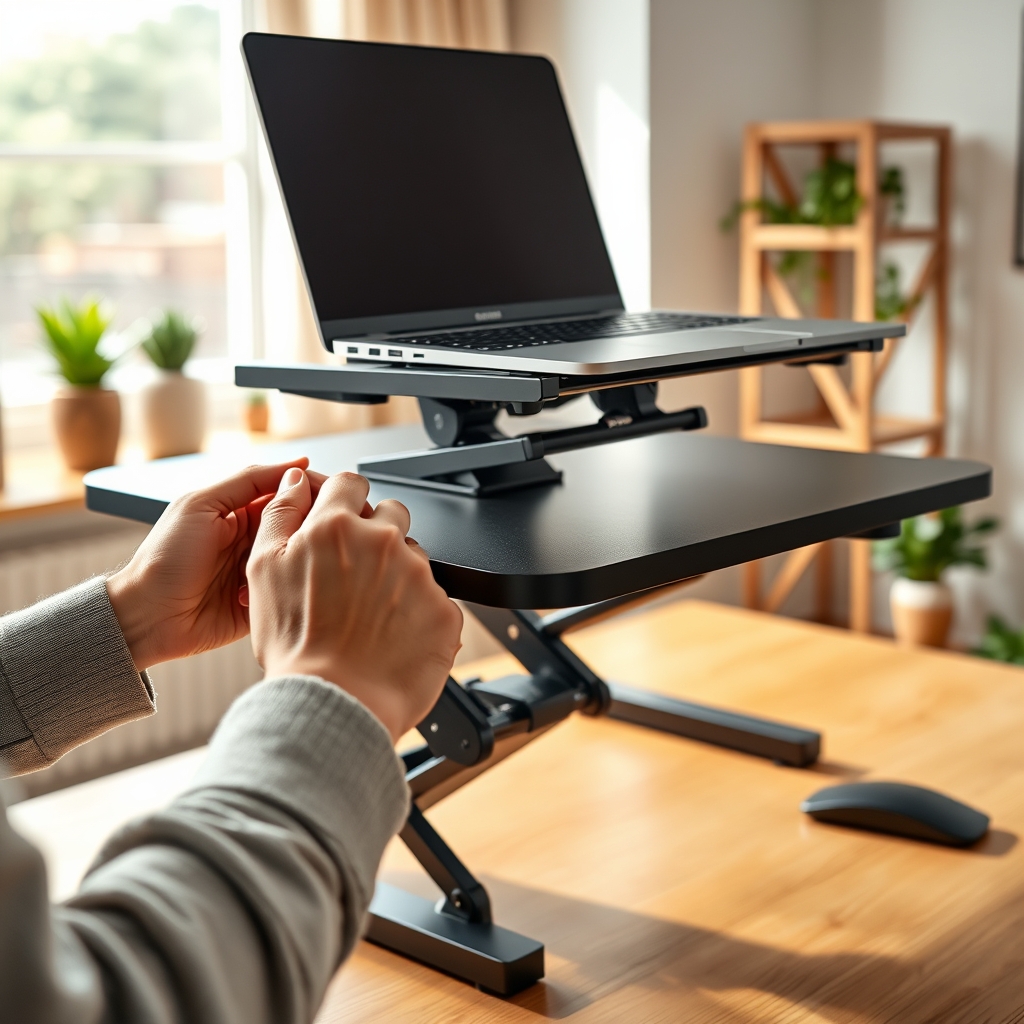
For design-conscious workspaces, pair your converter with a layered lighting strategy or modular accessories like a modular bookcase system to avoid a cluttered, boxy look.
Always review available weight capacity and manufacturer instructions. Never attempt DIY modifications—many units use tightly wound gas or spring mechanisms that can be dangerous if tampered with.
Standing Desk Converter Analysis: Problems, Pitfalls, and Tips
Deciding on a standing desk converter goes beyond just price or brand. Here’s what research and user experience suggest you should watch out for:
- Lack of Stability: While converters are great for retrofitting, many entry-level models may wobble or feel unstable—especially at max height or with dual monitors. Test before buying, or check for models with broader base plates and anti-tip design.
- Insufficient Height Range: If you are above average height, your screen may not reach truly ergonomic eye level. Always check the maximal vertical lift. Some converters only offer a small lift, leaving tall users hunched over.
- Poor Keyboard Tray Ergonomics: Trays can feel cramped, wobbly, or at the wrong angle. If you notice wrist or shoulder discomfort, reconsider your setup.
- Complex Assembly: Manual-adjust models often require more assembly. If you dislike DIY or have dexterity challenges, seek out pre-assembled or one-step lift models.
- Noisy or Jerky Movement: Cheaper spring mechanisms can squeak or jolt as you adjust heights. Electric converters are quieter but pricier; dual-motor or triple-motor units are the new standard in premium categories (Congruence Market Insights, 2025).
- Cable Snags: Cables not routed safely can unplug or drag devices when switching positions. Always plan your cable management from day one.
- No Stated Safety Certifications: UL, BIFMA, or CE marks signal tested safety and durability. Many converters skip these details—ask for documentation if using in a workplace or for long hours.
| Converter Feature | Potential Problem | What to Check |
|---|---|---|
| Manual Lift | May require two hands, jerks, or gets stuck under load | Seek one-step mechanisms or gas-assist lifts |
| Narrow Work Surface | Insufficient space for dual monitors or paperwork | Check width; minimum 30″ recommended for multitasking |
| Clamp-On Models | May not fit all desk edges; can damage thin surfaces | Measure desk thickness and avoid glass tops |
| Low Weight Capacity | Platform sags or wobbles with heavy screens | Confirm rated limit; consider all-in-one stands for multi-monitor setups |
| No Keyboard Tray | Poor wrist and elbow angle, leading to fatigue | Models with adjustable trays improve ergonomics |
Price ranges for converters are not standardized, but most sources describe them as “affordable alternatives” to electric standing desks, with manual models favored by cost-sensitive segments and SMEs (Congruence Market Insights, 2025). When budgeting for a converter, factor in possible ergonomic add-ons (like anti-fatigue mats), and don’t overlook safety markings if you’ll be standing for hours daily. For similar savvy space optimization, check out tips in our storage ottoman bed guide.

Conclusion
A standing desk converter offers an easy, flexible way to make your workspace more active and ergonomic—without a major investment or commitment. By understanding your needs and carefully setting up your converter, you can reduce sedentary habits and improve health over the long term. Don’t forget, proper ergonomics and realistic expectations are essential. Ready to take the next step? Shop, measure carefully, and start experiencing the benefits of a standing desk converter in your daily workflow.
FAQ
Are standing desk converters stable enough for dual monitors?
Some are, but not all. Look for models at least 30 inches wide with a weight capacity equal to your combined screen weight. Wider bases and anti-tip designs improve stability for multiple monitors.
Will a standing desk converter damage my existing desk?
Most quality converters have nonslip, cushioned feet or pads to avoid scratching. Clamp-on models may mark or dent soft or thin desktops. Always check user reviews and measure carefully.
How do I know if a converter is ergonomic?
Good converters adjust high enough to bring screens to your brow line and allow elbows to rest at a 90-degree angle when typing. If you’re tall, check for above-average lift heights. Adjustable keyboard trays are a bonus.
Does insurance or my employer reimburse for standing desk converters?
It depends on your health plan or company policy. Increasingly, employers and remote work stipends cover converters as wellness upgrades. Always keep your receipt and manufacturer’s documentation for expense claims.
Are there health risks to using a standing desk converter?
No independent peer-reviewed studies directly compare health outcomes between converters and full standing desks. Most market data sites highlight reduced sedentary behavior as a benefit, but sustained standing without breaks can cause fatigue or discomfort. Alternate often and listen to your body.
—